Introduction
In an age where personal safety and asset protection are paramount, utilizing a SIM card for GPS tracker has become increasingly popular. These devices are used not only for keeping track of personal belongings but also for enhancing security in vehicles, limiting theft, and monitoring transportation logistics. Integrating a SIM card allows GPS trackers to operate in real-time, sending location data directly to your smartphone or web app. In this article, we’ll guide you through the process of setting up your GPS tracker with a SIM card, ensuring that you are well-prepared to take advantage of advanced tracking technology in 2025.
Understanding GPS Trackers
What is a GPS Tracker?
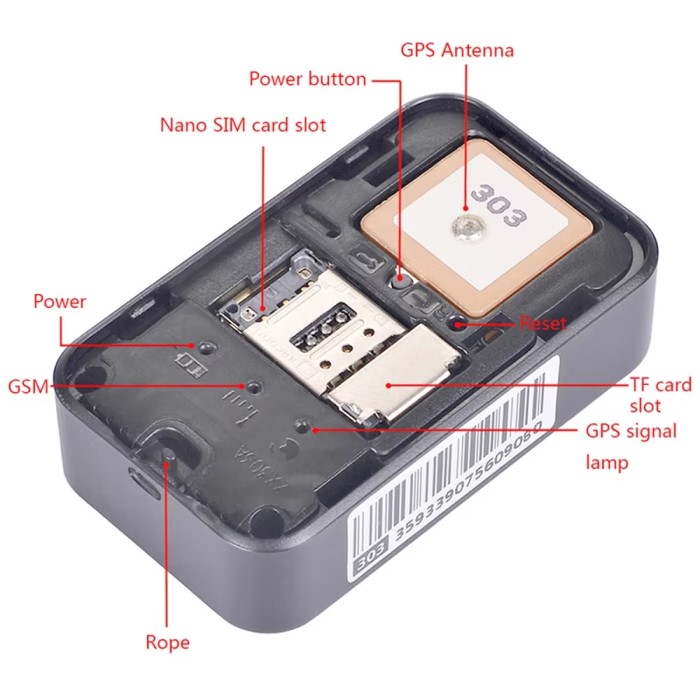
A GPS tracker is a device that uses the Global Positioning System (GPS) to determine its location on Earth. Here’s a quick overview of its components and functions:
- GPS Technology: GPS trackers communicate with satellites to obtain accurate location data. This information is then relayed to users through various platforms.
- Functions: These trackers have a wide range of applications, including personal safety, vehicle tracking, and asset management.
How GPS Trackers Utilize SIM Cards
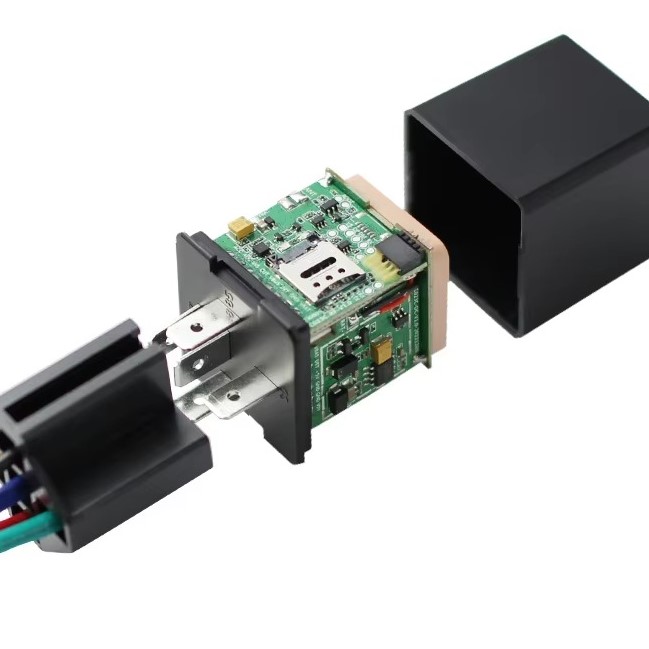
The integration of a SIM card allows a GPS tracker to communicate location data through cellular networks. Here’s how it works:
- Cellular Communication: The SIM card connects the tracker to mobile network providers, enabling data transmission regardless of location.
- Real-Time Tracking: By using cellular technology, users can access real-time location updates remotely through mobile apps or web services.
Choosing the Right SIM Card for Your GPS Tracker
Types of SIM Cards
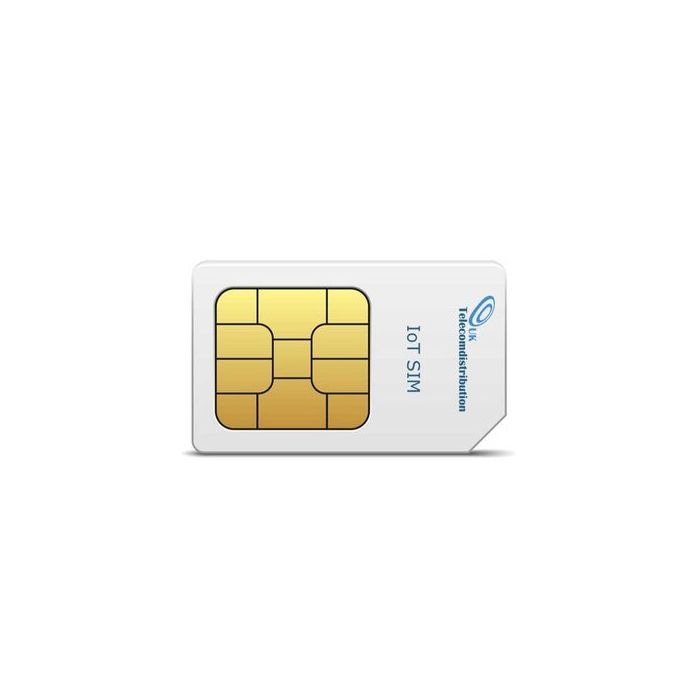
When selecting a sim card for gps tracker, it’s essential to understand the types available:
- Standard SIM Card: This is the most common type, suitable for most devices. It’s typically used in traditional tracking applications.
- Micro and Nano SIM Cards: Smaller versions of SIM cards, often used in more compact devices. Many modern GPS trackers may require one of these smaller options.
- Prepaid vs. Postpaid: Prepaid SIM cards allow users to pay in advance for a certain amount of data, while postpaid plans involve monthly billing.
Data Plans
Different GPS trackers have varying data requirements, so consider the following when selecting a plan:
- Low Data Usage: Most GPS trackers do not require high data usage. Thus, a low-data plan is often sufficient for basic tracking.
- Coverage: Ensure that the chosen carrier offers ample coverage in the areas where you will use the GPS tracker.
- Cost-Effectiveness: Compare different service providers and their plans to find one that fits your budget while meeting your needs.
Step-by-Step Guide to Setting Up Your GPS Tracker
1. Prepare the GPS Tracker
Before inserting the SIM card, ensure that your GPS tracker is ready for setup:
- Battery Charge: Make sure the tracker is fully charged to avoid interruptions during the initial setup.
- Read the Manual: Familiarize yourself with the device by reading the user manual. Knowing the features and specifications can aid in the setup process.
2. Insert the SIM Card
Follow these steps to insert the SIM card into the GPS tracker correctly:
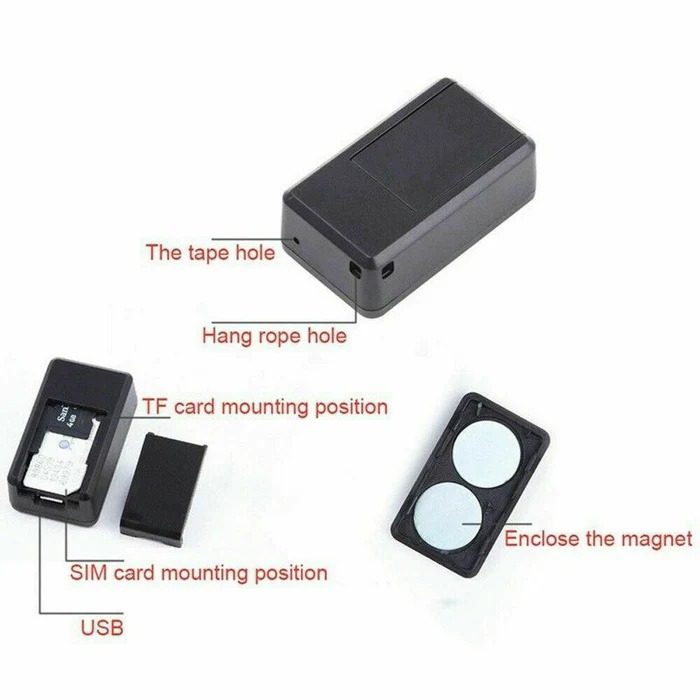
- Locate the SIM Card Slot: Usually found on the side or bottom of the device, the SIM card slot typically requires a small tool to open.
- Carefully Insert the Card: Place the SIM card in the designated slot, ensuring it fits snugly and is oriented correctly based on the indicator.
3. Activate the SIM Card
Once the SIM card is installed, it may need activation:
- Carrier Activation: Follow your mobile service provider’s guidelines for activating the SIM card. This process usually involves calling customer service or activating online.
- Confirm Activation: After activation, check that the SIM card is working by running a test with the GPS tracker.
4. Download the Companion App
Most GPS trackers come with a dedicated mobile app for user convenience. Here’s how to proceed:
- Find the App: Search for the manufacturer’s app in the App Store or Google Play.
- Install and Register: Download the app, create an account, and sign in to start managing your GPS tracker.
5. Pair the GPS Tracker with Your Smartphone
Make sure your tracker is paired with your smartphone for real-time monitoring:
- Follow the Instructions: The app will provide instructions to pair your GPS tracker with your smartphone. This may include scanning a QR code or entering a unique identifier.
- Customize Settings: After pairing, customize settings according to your preferences. Set alerts, notifications, and geofencing boundaries if applicable.
6. Test Your Tracker
Testing the GPS tracker ensures that everything is functioning correctly:
- Check Location Accuracy: Move the tracker to a different location and verify in the app that it updates accurately.
- Review Alerts: Trigger any alerts or notifications to ensure they work as intended.
7. Regular Monitoring and Maintenance
Once your GPS tracker is set up, ongoing monitoring will help maintain reliability:
Monitor Battery Levels
- Importance of Regular Checks: It’s crucial to check the battery levels of your GPS tracker regularly. This proactive approach helps prevent unexpected shutdowns, which could leave you without tracking capability at a critical moment.
- Indicators of Low Battery: Many GPS trackers come equipped with indicators or alerts that notify you when the battery is running low. Be attentive to these notifications to ensure timely recharging.
- Scheduled Monitoring: Establish a routine for checking the battery levels—whether daily, weekly, or monthly—based on how frequently the device is used. Regular checks can lead to proactive management and prevent surprises.
- Recharging Protocol: When the battery level gets low, it’s essential to recharge the tracker promptly. Depending on the device’s design, this may involve plugging it into a USB charger or replacing it with a new one.
- Consider Battery Life Drain: Be aware that certain features of the GPS tracker, such as real-time location updates or constant connectivity, can drain the battery more quickly. Adjusting the settings to balance usage with battery conservation can extend the battery life.
Assess Data Usage
- Understanding Data Consumption: Each GPS tracker has specific data requirements based on its features. Understanding how much data your device uses is essential for efficient planning and budgeting your mobile plan.
- Monitoring Your Plan: Keep a close eye on the data usage associated with your GPS tracker. Most mobile providers offer apps or online platforms where users can track their data consumption in real time.
- Setting Limits: Some mobile service providers allow users to set up alerts or limits on their data plans. This feature can help you avoid unexpected overages and service interruptions, providing peace of mind.
- Avoiding Overages: Being proactive about monitoring data usage can prevent exceeding your plan’s limits. Overages can lead to additional charges, which can quickly add up, especially if your tracking needs are more significant than anticipated.
- Adjusting Settings for Efficiency: If data usage is higher than expected, consider adjusting the settings on your GPS tracker. For example, switching from real-time tracking to periodic updates may significantly reduce data consumption while still providing essential tracking capabilities.
- Evaluating Plan Options: If your GPS tracker requires substantial data usage, it may be worthwhile to evaluate your current plan or look for more suitable options that accommodate your usage needs without breaking the bank.
FAQ Section
What Kind of SIM Card Do I Need for a GPS Tracker?
Most GPS trackers require a standard SIM card, but some may need micro or nano SIM cards depending on the device. Always check the specifications of your GPS tracker before purchasing.
Which SIM is Best for GPS?
The best SIM card for GPS use is one that offers good coverage and reliable data services at a reasonable cost. Consider using a prepaid plan to avoid high monthly fees.
Do You Need a SIM for GPS Tracking?
Yes, a SIM card is usually required for GPS trackers that utilize cellular networks to transmit location data. The SIM enables the tracker to communicate and send real-time updates.
How Does a SIM Card GPS Tracker Work?
A sim card for gps tracker works by using GPS technology to receive location data, which is then sent through a cellular network via the SIM card. Users can view this information through a smartphone app.
Conclusion
Using a SIM card for GPS tracker is a vital step towards enhancing the safety and security of your valuable items. By following the setup guidelines outlined in this article, users can effectively install and utilize a GPS tracker, ensuring reliable tracking capabilities. Moreover, assessing features like battery life, SIM card type, and data plans will aid in selecting the right device for individual needs. As technology advances, staying informed about the newest GPS tracking options and how to combine them with SIM card technology will empower you to protect your belongings effectively. Equip yourself with the tools you need to monitor and safeguard your items as you navigate your daily life and adventures in 2025.