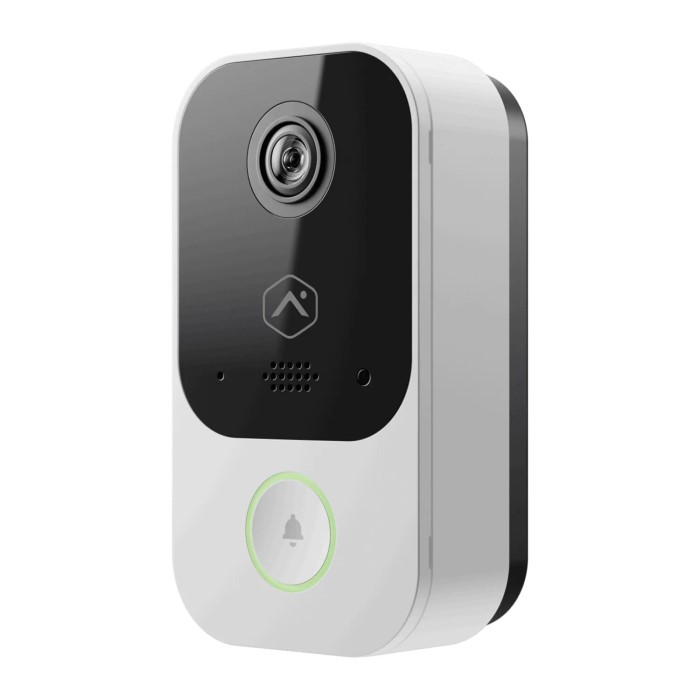
What is a Poe Doorbell Camera?
A PoE doorbell camera uses Power over Ethernet technology. It combines power and data delivery through one Ethernet cable. This eliminates the need for separate power sources or multiple cables.
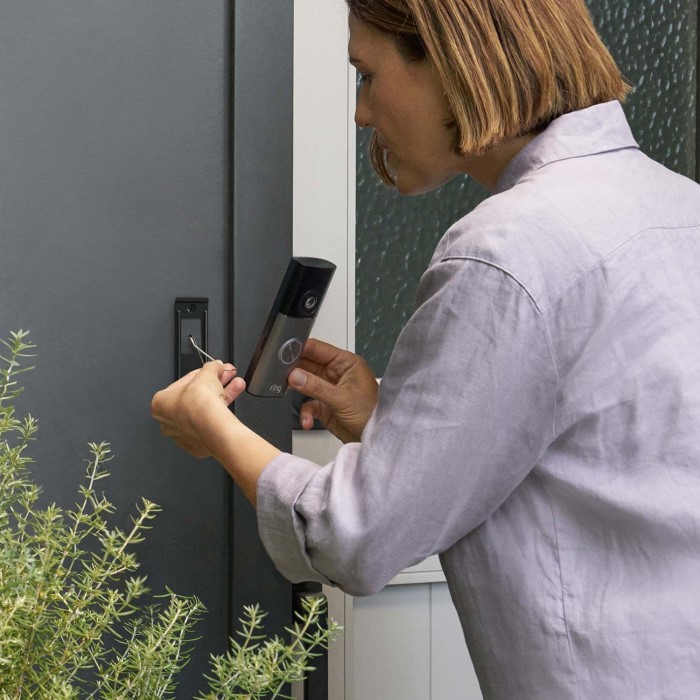
How Does PoE Technology Work?
PoE technology simplifies connections between devices. It allows network cables to carry both power and data. A single Ethernet cable connects the doorbell camera to the router or switch. The cable provides reliable internet and power simultaneously. This reduces clutter and ensures stable performance.
Benefits of PoE Doorbell Cameras Compared to Wireless Options
PoE doorbell cameras offer key advantages over wireless models:
- Improved Reliability: PoE cameras have consistent connectivity without wireless signal disruptions.
- Stronger Security: Wired connections minimize the risk of hacking compared to Wi-Fi cameras.
- Uninterrupted Power Supply: They stay powered without worrying about dead batteries.
- Higher Data Quality: PoE provides efficient and stable video data transmission.
- Weather Resistance: They work well in various weather conditions without connection issues.
This technology is ideal for homeowners seeking durability and long-term convenience.
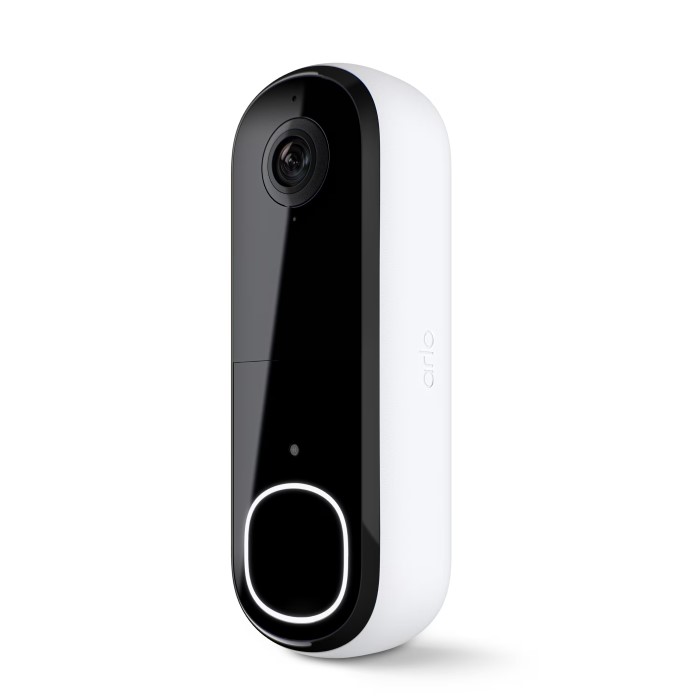
Key Features to Look for in a Poe Doorbell Camera
When choosing a PoE doorbell camera, certain features can greatly enhance its usability and effectiveness. Let’s delve deeper into what makes these cameras stand out.
Video Quality and Resolution
High video quality is essential for clear footage. Look for cameras with at least 1080p resolution. This ensures you can identify faces, actions, and details easily. Some models offer 4K resolution for even sharper video. Higher resolutions are ideal for improved surveillance and clarity.
Field of View and Motion Detection
A wide field of view captures more areas in front of the camera. Aim for cameras with at least a 140-degree field of view. Advanced motion detection ensures the camera starts recording when movement is detected. This feature minimizes unnecessary footage and alerts you promptly.
Night Vision Capabilities
Night vision is crucial for 24/7 security, especially during low-light conditions. Cameras with infrared night vision produce clear images in complete darkness. Some models include color night vision, offering better detail in dim environments. This feature is key for monitoring late-night activities.
Two-Way Audio and Noise Cancellation
Two-way audio lets you communicate directly with visitors at your door. Noise cancellation ensures your voice sounds clear without background interference. It’s ideal for giving instructions, addressing deliveries, or deterring unwanted visitors. High-quality audio enhances the user experience significantly.
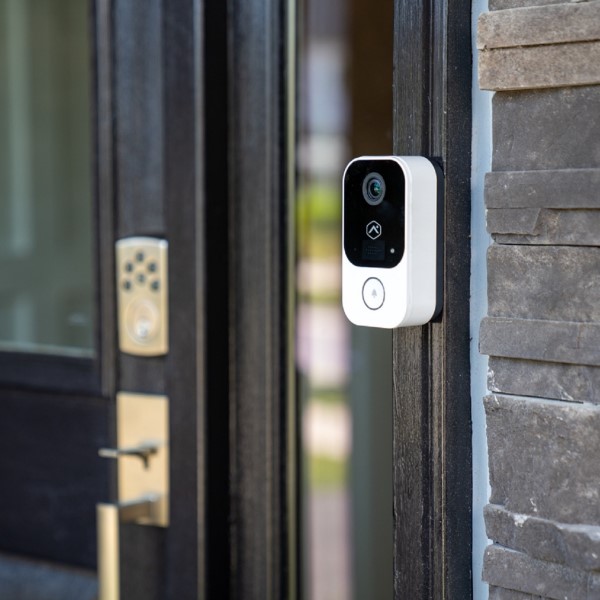
Advantages of Poe Doorbell Cameras Over Battery-Operated Models
PoE doorbell cameras provide several benefits compared to battery-powered models. Their design ensures reliable performance and lower maintenance needs, making them a preferred choice for many homeowners.
Reliable Power Supply and Connectivity
PoE doorbell cameras use a single Ethernet cable for power and internet. This eliminates the need to monitor battery levels constantly. Unlike battery-operated cameras, they deliver uninterrupted functionality. The wired connection also ensures a stable and secure network, reducing the chance of signal loss or hacking. Homeowners enjoy reliable security coverage round the clock without worrying about dead batteries.
Easy Maintenance and Long-Term Cost Efficiency
Battery-powered cameras require frequent battery replacements or recharging. These recurring efforts can become costly over time. In contrast, PoE cameras need minimal attention once installed. They operate consistently without the need for ongoing power adjustments. This long-term reliability helps homeowners save both time and money on maintenance. Additionally, their robust build and wired connection reduce repair needs, boosting cost efficiency.
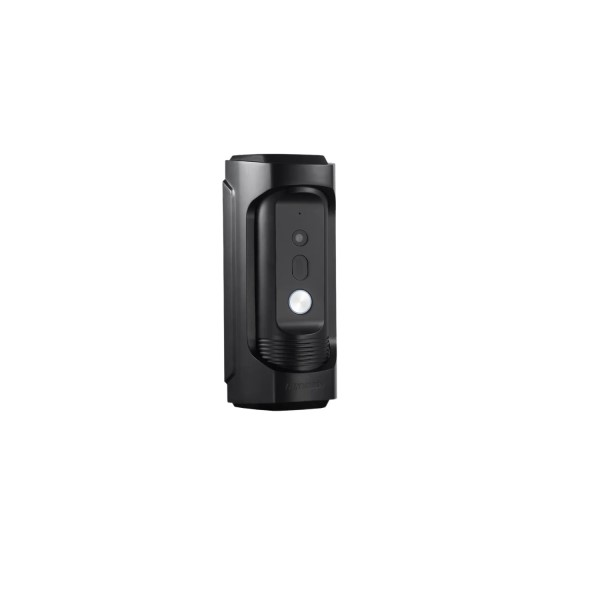
Top Models in 2026
Choosing the right PoE doorbell camera can be overwhelming due to the variety of options. To help with your decision, let’s explore some top models in 2026 and compare their features and benefits.
Comparison of Popular Poe Doorbell Cameras
Here’s a quick comparison of the most popular PoE doorbell cameras available in 2026:
- Brand A Camera
- Resolution: 1080p or 4K for crisp video quality.
- Field of View: 150-degree covering wide areas.
- Night Vision: Infrared and color modes for clear nighttime monitoring.
- Audio Features: Two-way audio with noise cancellation.
- Price: Affordable with excellent value.
- Brand B Camera
- Resolution: Supports 2K for detailed surveillance.
- Field of View: 160-degree suitable for larger coverage.
- Night Vision: High-quality infrared technology for dark conditions.
- Audio Features: Advanced audio with dual microphones.
- Price: Slightly higher but includes premium features.
- Brand C Camera
- Resolution: 1080p with color enhancement.
- Field of View: 140-degree perfect for compact spaces.
- Night Vision: Superior low-light performance.
- Audio Features: Basic two-way communication.
- Price: Budget-friendly for beginners.
Pros and Cons of Leading Models
Each model has strengths and minor drawbacks. Here’s a breakdown:
- Brand A Camera
- Pros: Affordable, reliable performance, wide coverage.
- Cons: No color night vision in lower models.
- Brand B Camera
- Pros: Excellent clarity and robust build.
- Cons: Higher price; advanced features may be unnecessary for small spaces.
- Brand C Camera
- Pros: Compact design, cheap price point.
- Cons: Limited audio and field of view.
Selecting the best PoE doorbell camera depends on individual needs like budget, space, and feature requirements. Carefully review these models to find the perfect fit for your home.
Installation Guide
Installing a PoE doorbell camera is simpler than you may think. With the right tools and a clear process, you can set it up efficiently for reliable home security.
Tools and Equipment Needed
Before you begin, gather the following tools and equipment:
- PoE Doorbell Camera: Ensure the camera is PoE-compatible for both power and data.
- Ethernet Cable: Choose a high-quality Cat5e or Cat6 cable for dependable connectivity.
- Drill and Drill Bits: These are necessary for mounting the camera.
- Screwdriver: Use this for securing the camera to the wall.
- PoE Injector or Switch: Required for powering the camera via Ethernet.
- Cable Clips or Conduit: Useful for cable management to keep your setup tidy.
- Smartphone or Laptop: For initial configuration and testing of connectivity.
- Level Tool (Optional): Ensures precise and even installation.
Step-by-Step Installation Process
Follow these steps to install your PoE doorbell camera effectively:
- Select the Installation Spot: Choose a location with a clear view of your doorway. Ensure it’s near an Ethernet outlet or where a cable can reach.
- Test the Camera: Connect the camera to your PoE switch or injector indoors. Verify it powers on and functions properly before installation.
- Prepare the Mounting Location: Mark the drill holes on the wall using the mounting bracket as a template. Use a level tool if available to align it perfectly.
- Drill Holes: Drill holes for screws or wall anchors if installing on a hard surface like brick or stone.
- Run the Ethernet Cable: Connect the Ethernet cable from your PoE switch or injector to the camera location. Secure the cable using clips or conduit to protect it.
- Install the Camera: Attach the mounting bracket to the wall using screws. Secure the camera onto the bracket.
- Connect the Cable: Plug the Ethernet cable into the camera’s PoE port. Ensure the connection is secure.
- Power and Configure: Power on the camera through the PoE switch or injector. Use your smartphone or laptop to complete the setup, such as connecting to your system or app.
- Test the System: Check the video feed, night vision, motion detection, and audio features. Adjust settings as needed.
- Tidy Up: Organize cables and ensure everything is secure and weather-resistant if outdoors.
By following these steps, your PoE doorbell camera will be ready for reliable and uninterrupted security.
FAQs
When considering a PoE doorbell camera, you might have questions about compatibility and security. Let’s address these common concerns to help you make an informed decision.
Are Poe Doorbell Cameras Compatible with My Existing System?
Yes, most PoE doorbell cameras are designed to work with various setups. Here are some factors to consider:
- Network Requirements: Ensure you have a router or switch with PoE capability. If not, you can use a PoE injector.
- Wiring: Check if your home has Ethernet cabling in place or consider running new cables.
- Smart Home Integration: Many PoE doorbell cameras integrate with popular platforms like Alexa, Google Home, or Apple HomeKit.
- Mobile App Support: Most cameras come with an app for remote access on smartphones and tablets. Ensure it’s compatible with your device.
- Power Supply: Verify if your system can handle the required power output for the camera.
Compatibility is usually not an issue, as manufacturers provide detailed guidelines for integration. Read the product specifications to confirm the camera aligns with your setup.
How Secure Are Poe Doorbell Cameras?
PoE doorbell cameras are considered more secure than their wireless counterparts. Here’s why:
- Wired Connection: A direct Ethernet connection minimizes the risk of hacking compared to Wi-Fi cameras.
- Data Encryption: Most PoE cameras use encryption to prevent unauthorized access to your video feed.
- No Signal Interference: A wired connection eliminates vulnerabilities caused by Wi-Fi disruptions or weak signals.
- Firmware Updates: Regular updates from manufacturers enhance security features over time. Make sure updates are enabled.
- Physical Tampering: Mount the camera securely, and some models include tamper alerts to detect unauthorized interference.
By following these guidelines and using reliable brands, your PoE doorbell camera will provide a higher level of security for your home.
Tips for Maintaining Your Poe Doorbell Camera
Proper maintenance ensures your PoE doorbell camera operates smoothly over time. Follow these tips to keep it in top condition.
Regular Maintenance Checklist
Clean the Lens Regularly:
-
- Maintaining a clear lens is crucial for capturing high-quality video. Over time, dust, fingerprints, and debris can accumulate and obstruct the camera’s view.
- To clean the lens, use a soft, lint-free cloth. Avoid using paper towels or rough fabrics, as they can scratch the surface of the lens.
- Gently wipe the lens in a circular motion to remove any smudges or particles. It’s best to perform this cleaning routine at least once a month or more frequently if you live in a dusty environment.
Inspect the Ethernet Cable:
-
- Regular inspection of the Ethernet cable connecting your Poe doorbell camera is essential for maintaining a stable and reliable connection.
- Look for any signs of wear and tear, such as frayed edges, cuts, or kinks in the cable. Damaged cables can result in poor video quality or disconnections.
- If you identify any damage, replace the Ethernet cable promptly to ensure uninterrupted performance of your camera.
Check Mounting Hardware:
-
- Properly securing the mounting hardware is vital for the camera’s stability. Loose screws or brackets can cause the camera to shift, resulting in a misaligned view.
- Periodically verify that all screws are tightened and that the bracket holding the camera in place is secure. A simple visual inspection can often identify any loose components easily.
- If necessary, readjust the camera to achieve the optimal viewing angle once you have confirmed that all mounting hardware is secure.
Test Video and Audio Quality:
-
- Regularly reviewing your doorbell camera’s video feed ensures that it continues to capture clear images. This is particularly important for identifying visitors or potential threats.
- Additionally, test the two-way audio functionality by speaking into the camera and listening to the feedback. This feature enhances communication with visitors, making it a valuable aspect of your security system.
- If you notice any drop in video resolution or issues with audio clarity, consider troubleshooting the camera settings or consulting the user manual for solutions.
Update Firmware:
-
- Keeping the firmware of your Poe doorbell camera up to date is crucial for optimal performance and security. Manufacturers often release updates to fix bugs, improve features, and enhance security protocols.
- Check the manufacturer’s website or the app associated with your camera for the latest firmware updates periodically. Installing these updates can prevent vulnerabilities and ensure that your camera operates efficiently.
- Take note of any new features introduced in the updates, as they can provide added functionality or improved usability.
Clear Storage Space:
-
- If your camera utilizes onboard storage for recording footage, it’s important to manage this space effectively. Over time, recorded videos can accumulate, leading to storage limits being reached.
- To prevent any interruptions in recording capabilities, regularly delete old footage that is no longer needed. Set a schedule for reviewing and clearing storage, such as once a month.
- Consider backing up important footage to an external storage device or a cloud service if your camera supports it, ensuring that significant events are preserved while maintaining adequate storage space.
Examine Night Vision:
-
- Testing the night vision feature is essential to ensure that your camera functions effectively in low-light conditions. Night vision capabilities are crucial for capturing clear images during nighttime or in poorly lit areas.
- Conduct tests by observing the camera feed in low-light situations, such as at dusk or in a darkened room. Pay attention to the clarity of the video and the range of the night vision.
- If the night vision does not perform as expected, consider adjusting the camera’s position or reviewing the settings related to night vision to enhance its effectiveness.
Troubleshooting Common Issues
- Video Feed Not Working:
- Check the Ethernet cable connection.
- Restart the camera and check the PoE switch or injector.
- Blurry Video:
- Clean the lens.
- Adjust the focus settings if available.
- Audio Problems:
- Test the microphone and speaker for obstructions.
- Ensure the app or device settings are configured correctly.
- Connectivity Issues:
- Verify the Ethernet cable is firmly connected.
- Check if the router or switch is functioning properly.
- Motion Detection Errors:
- Reconfigure motion sensitivity settings.
- Ensure the field of view is unobstructed.
- Power Supply Interruptions:
- Confirm the PoE switch or injector is providing adequate power.
- Replace damaged cables if necessary.
By following these guidelines, your PoE doorbell camera will deliver consistent and reliable security for years.
Conclusion
In summary, selecting the best Poe doorbell camera significantly elevates your home security. You can make an informed decision by understanding the features, installation process, and integration capabilities. A well-chosen camera not only protects your home but also enhances convenience through smart technology.
As you research and finalize your decision, remember that your peace of mind is invaluable. Investing in a high-quality Poe doorbell camera ensures that you and your family remain safe and secure in your home for years to come. Embrace the latest technology and enjoy the added protection that a Poe doorbell camera offers!